Sluice Design System & Frontend Platform
I designed and built the frontend foundation behind Sluice — a reusable Angular component library, documentation platform and visual customisation system designed to accelerate product development and maintain UI consistency across applications.
My role: Senior Frontend Engineer · Team Lead
Focus: Architecture · Design Systems · Angular · Storybook · Component Engineering
Product architecture in six views
Selected screens demonstrating the product architecture, component library, documentation workflow and visual customisation capabilities.
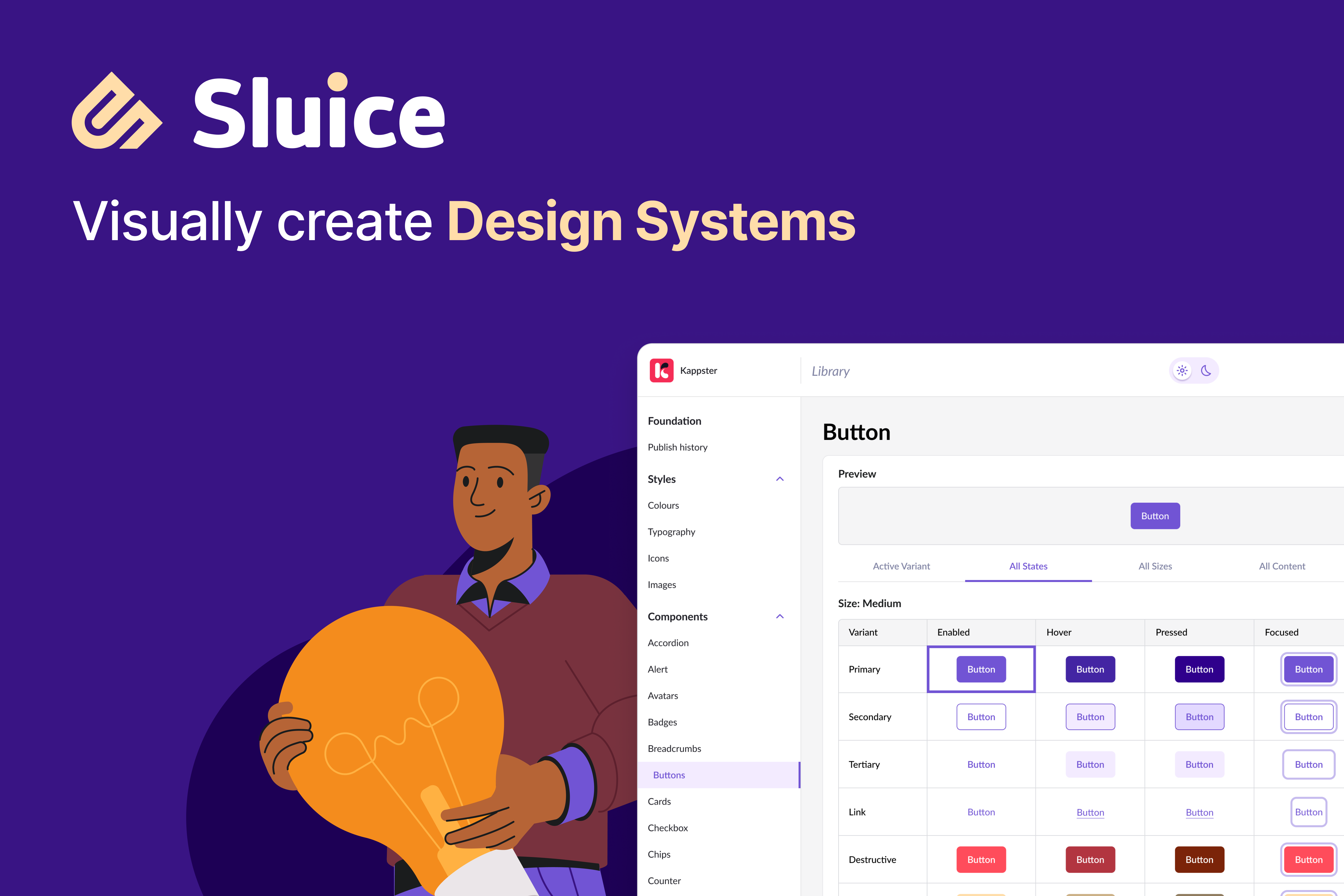
Sluice product overview
The product entry point, positioning Sluice as a reusable frontend platform for building consistent digital products.
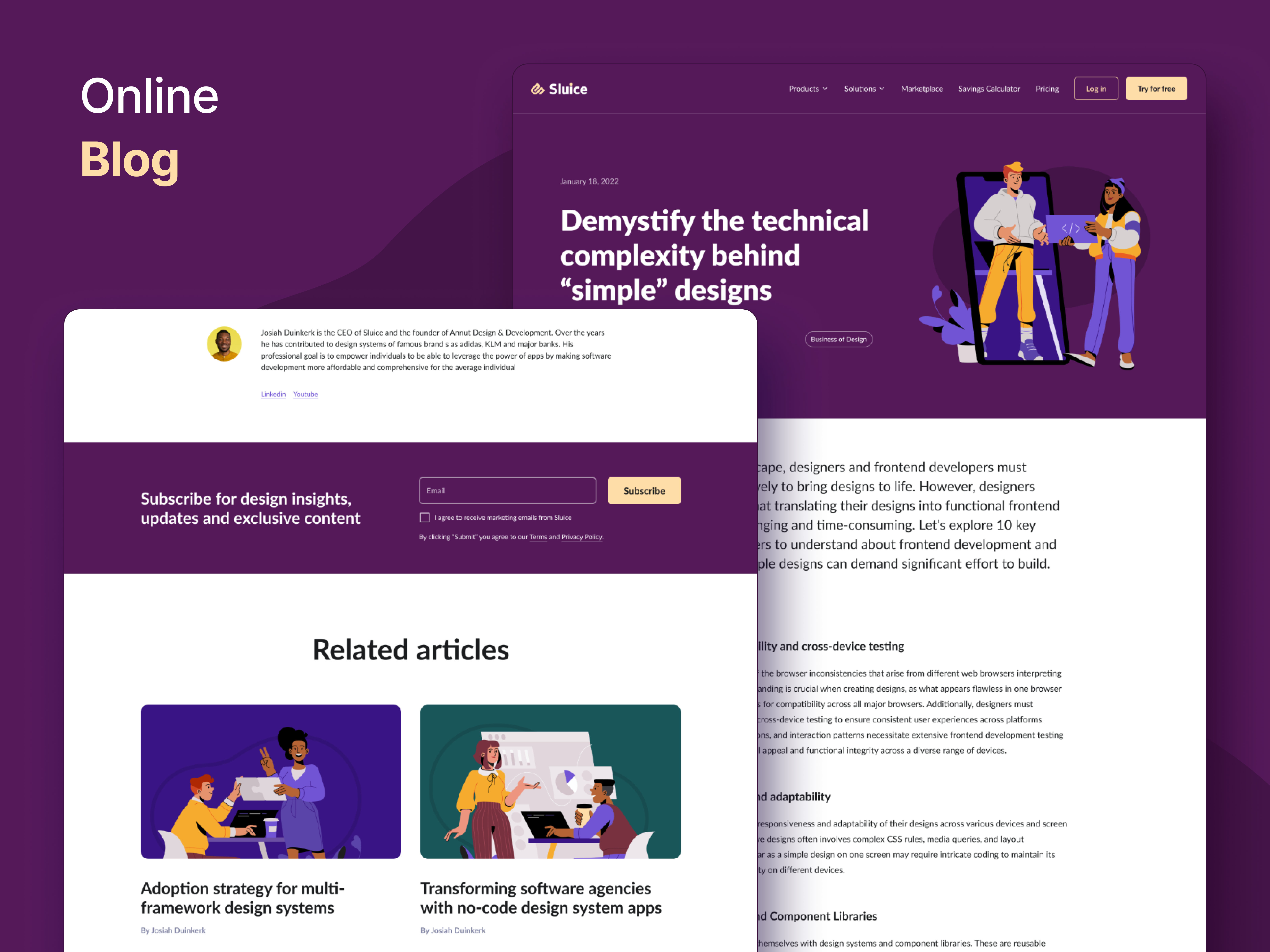
Technical architecture behind the UI
Engineering concepts, implementation decisions and technical considerations behind building a reusable component-driven platform.
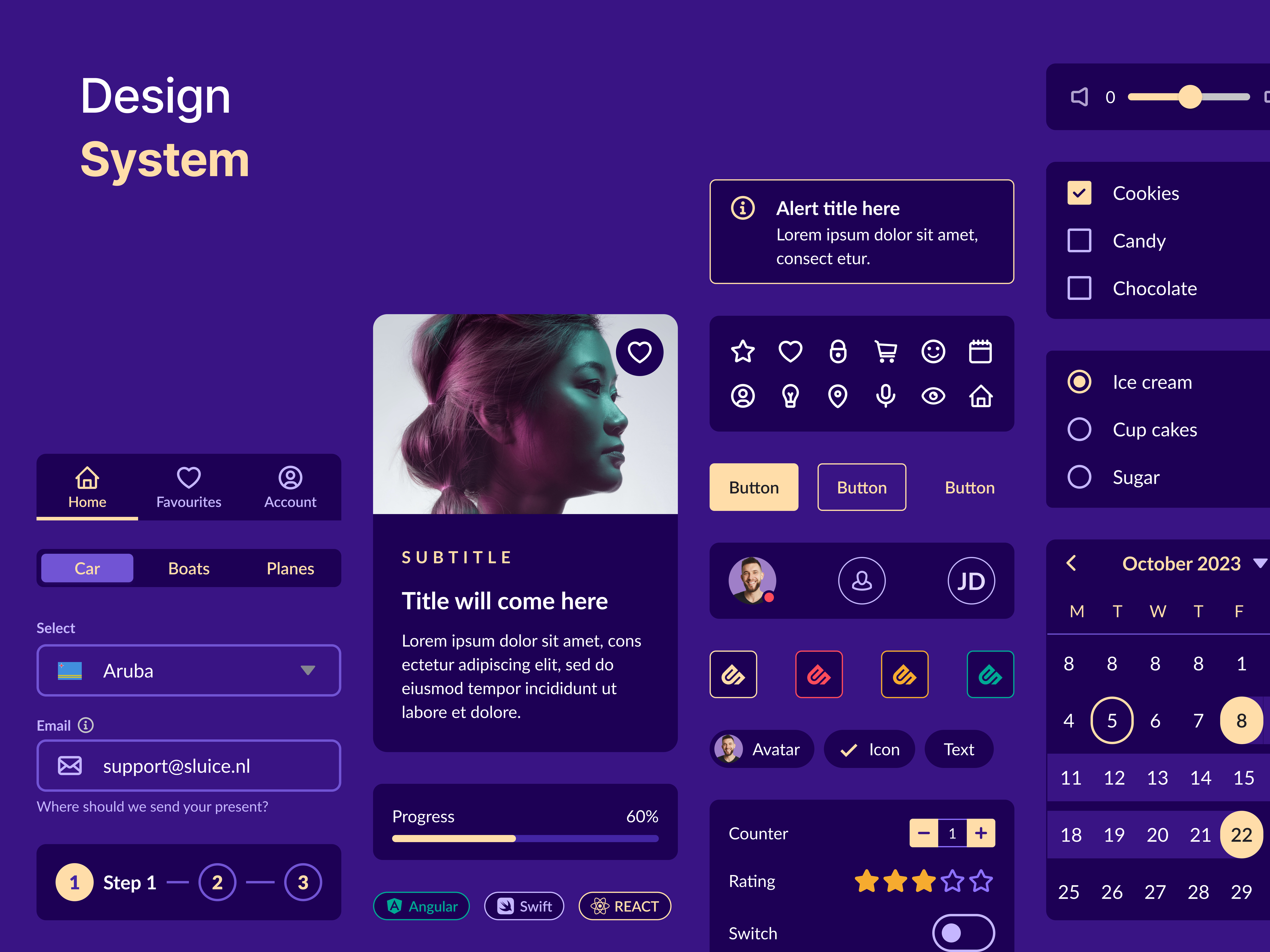
Reusable component library
A centralized set of configurable UI components designed for reuse across product interfaces.
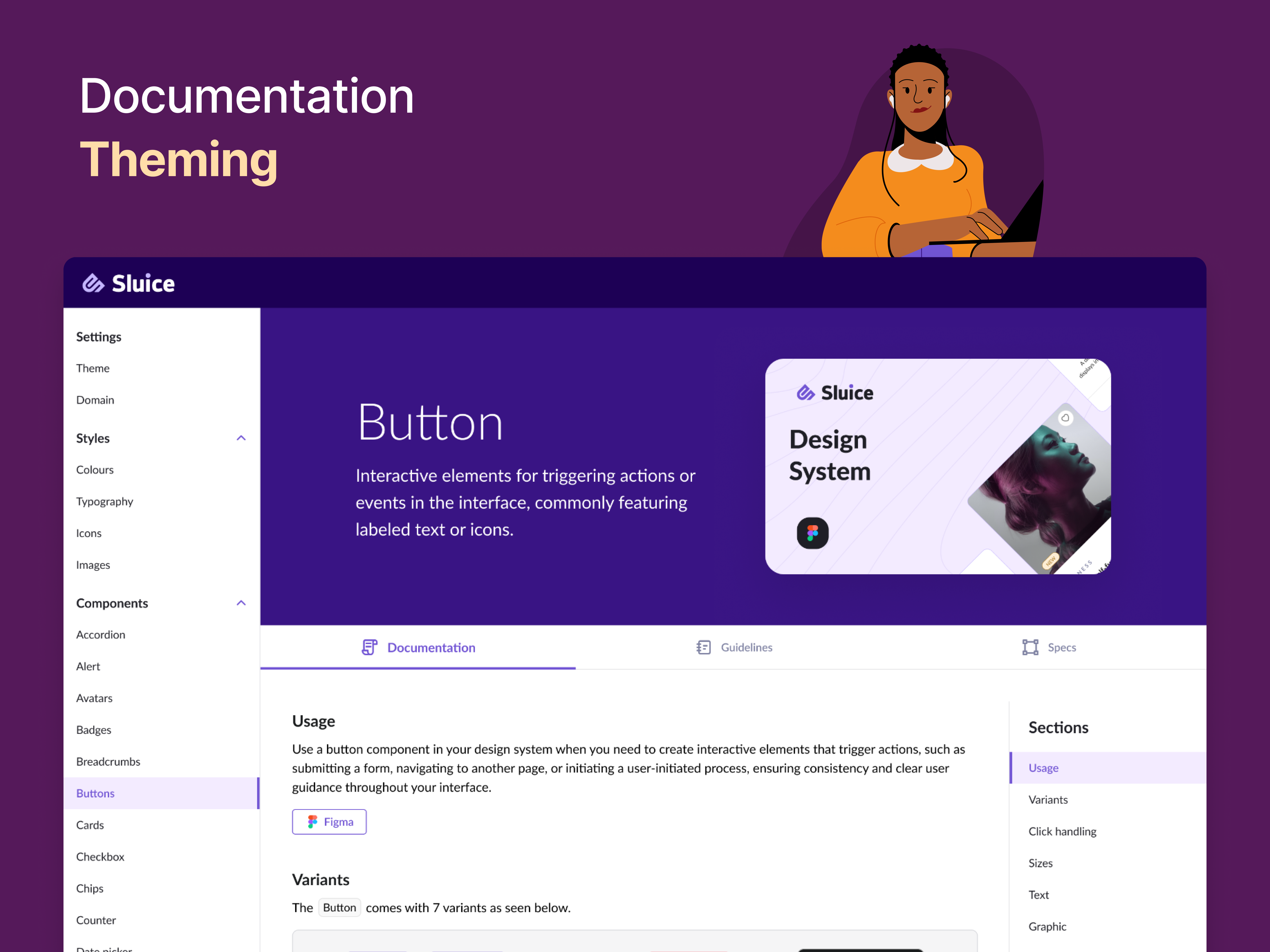
Developer documentation
Documentation designed to make components easy to discover, understand and integrate into applications.
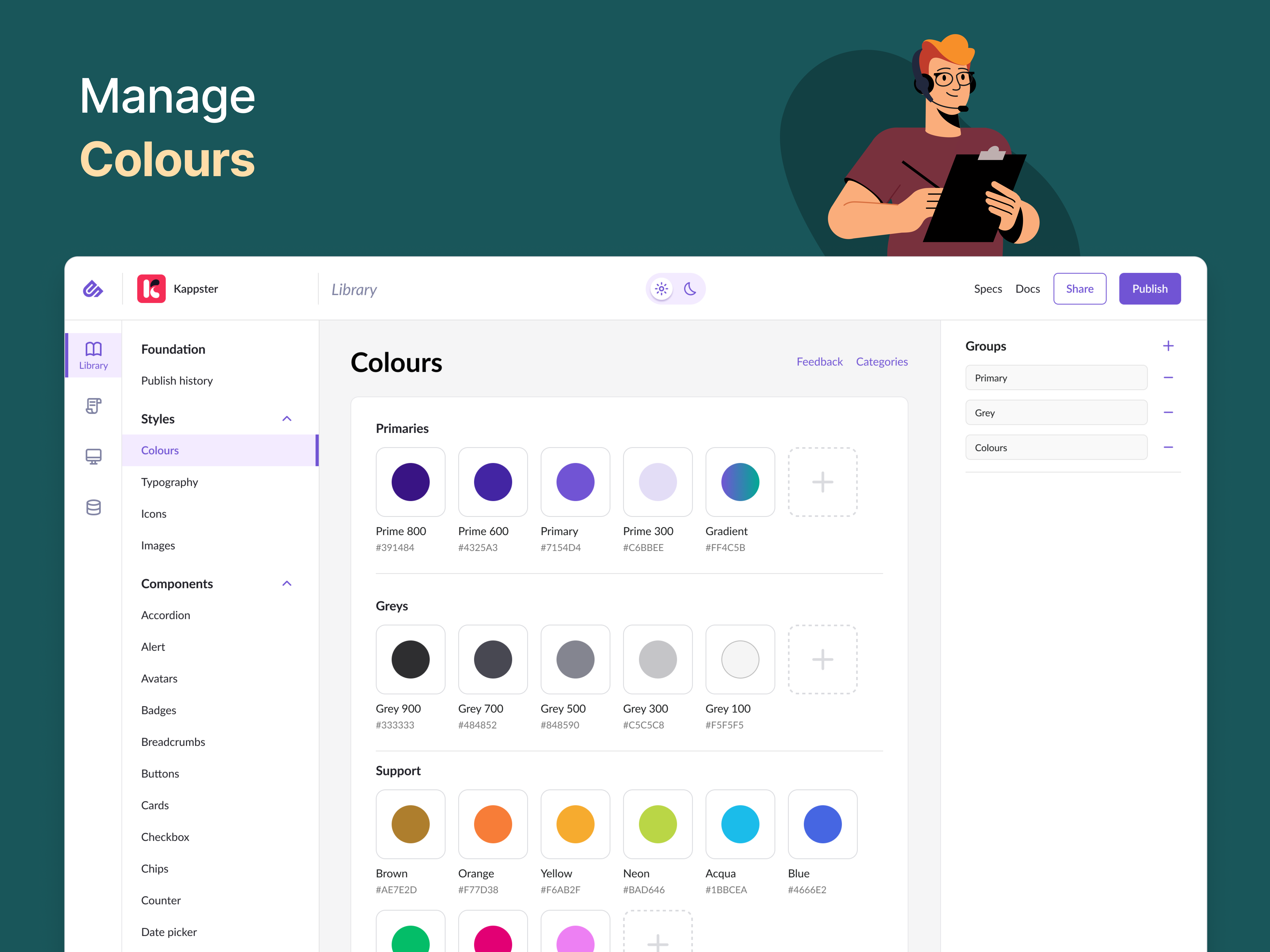
Theme and brand configuration
Visual configuration capabilities allowing product teams to adapt components to different brand requirements.
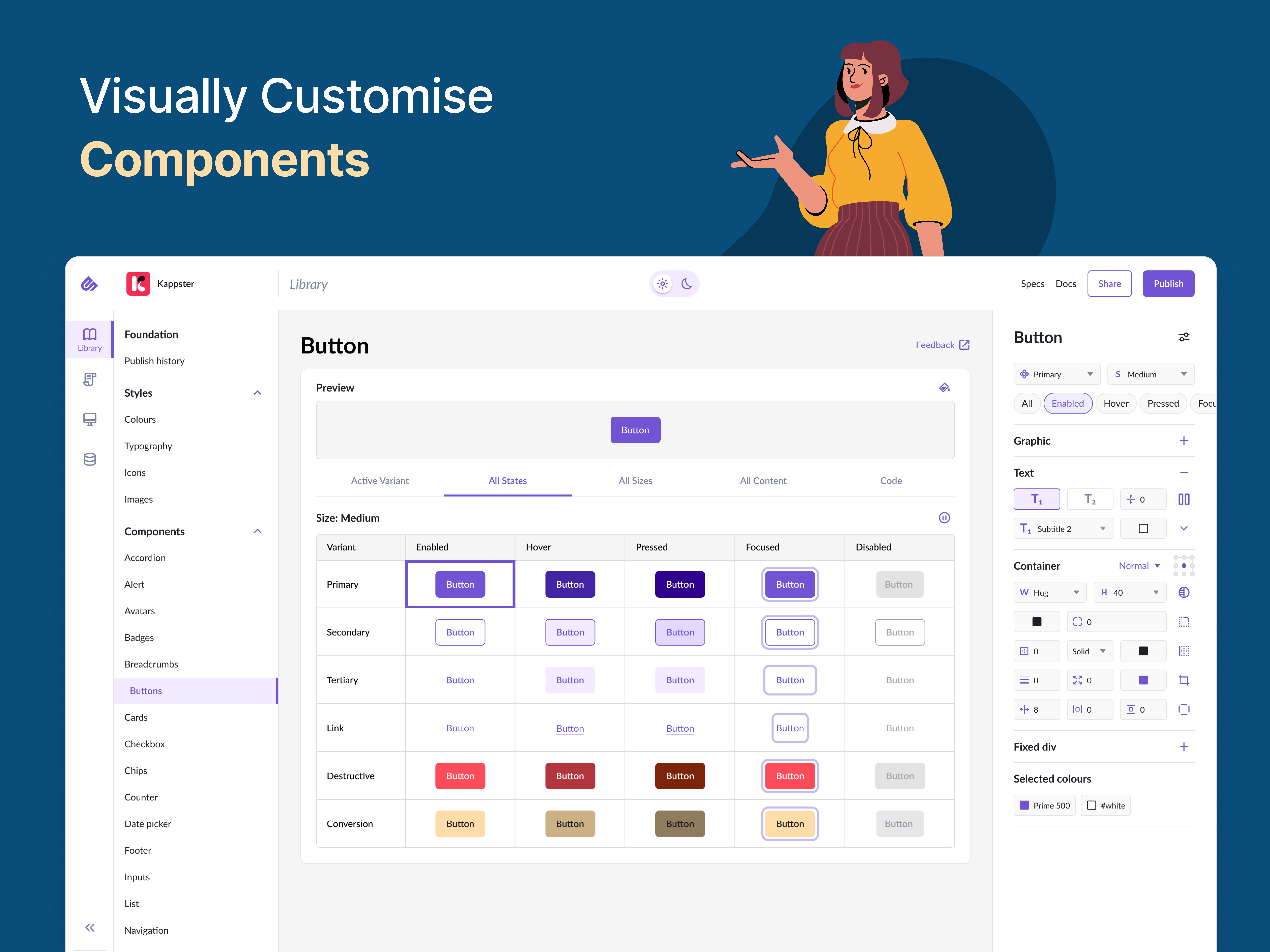
Visual component customisation
A dedicated interface for previewing and configuring component appearance without manually rebuilding the underlying UI.
Technologies & engineering areas
Angular · React · TypeScript · Architecture · Design Systems · Web & Mobile
Architecture and implementation of the Angular component library, reusable UI patterns, documentation workflow and visual customisation capabilities. I also contributed to technical direction, code quality, mentoring and frontend engineering standards.
Gym application
The application demonstrates the practical value of the design system: the designer could focus on UX and product flows in Figma rather than preparing the visual specification of every individual component. The developer installed the Sluice package and used the ready components directly.
UX-first design + ready-to-use frontend components
Without a component system, a designer and developer spend significant time repeatedly defining and implementing the visual behaviour of standard UI elements.
With Sluice, the design system already provided the component styles and reusable implementation. The designer could concentrate on the UX, while the developer assembled the product from existing components.
Approximately 5× faster implementation
By separating UX decisions from repetitive UI implementation, the design system allowed the designer to focus on product flows while developers assembled interfaces from existing, documented components.
Define UX flows
Designer focuses on product experience.
Select existing components
UI patterns are already implemented.
Configure and integrate
Developer installs the package and adapts components to the product.
Assemble the product
Less repetitive UI implementation and faster delivery.
A practical example: Gym application
The Gym application demonstrates how the design system was used in a real product workflow. Instead of recreating UI components for every screen, the developer could install the Sluice package and assemble the application using existing components.
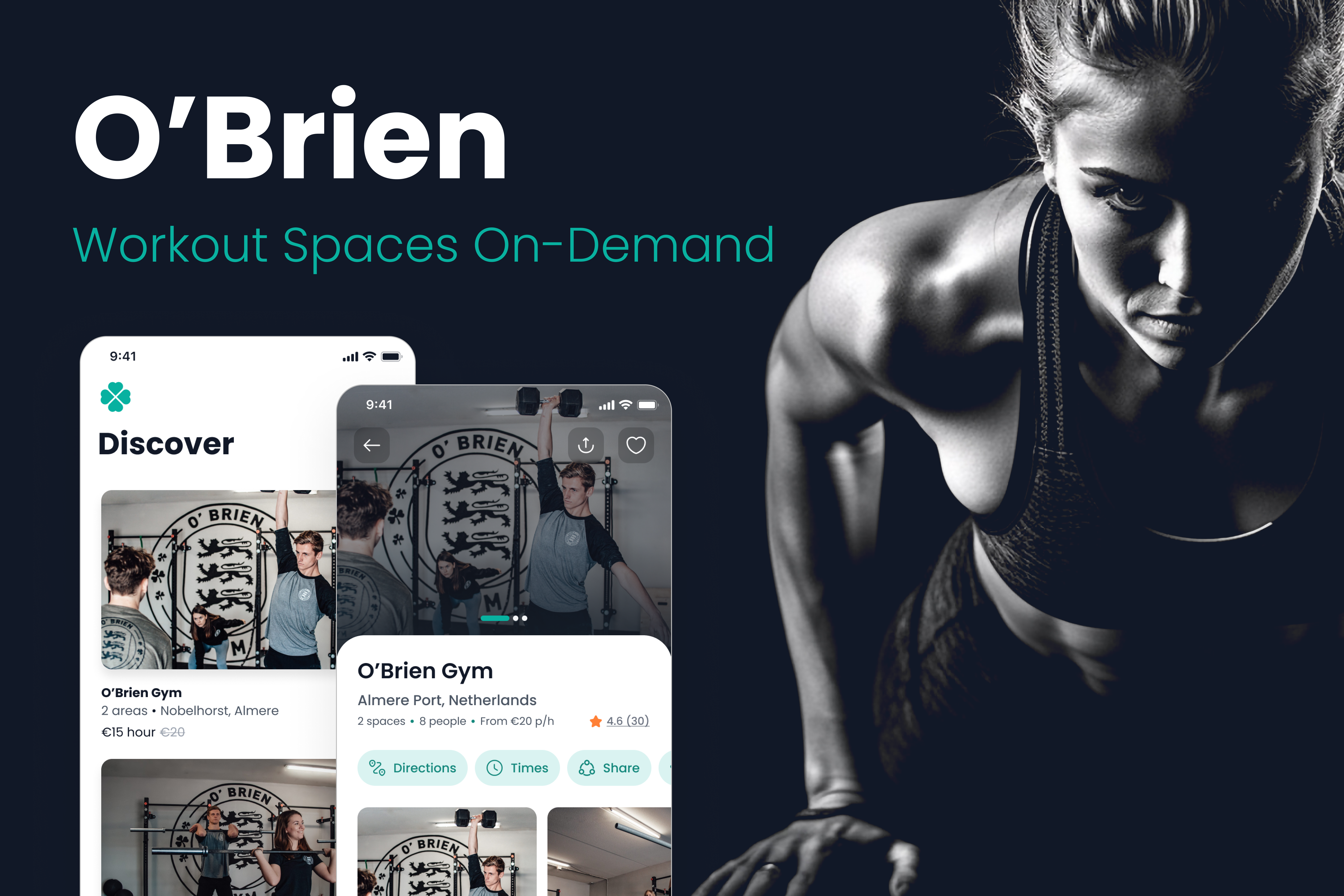
Gym platform overview
A complete product interface assembled using reusable components from the Sluice design system.
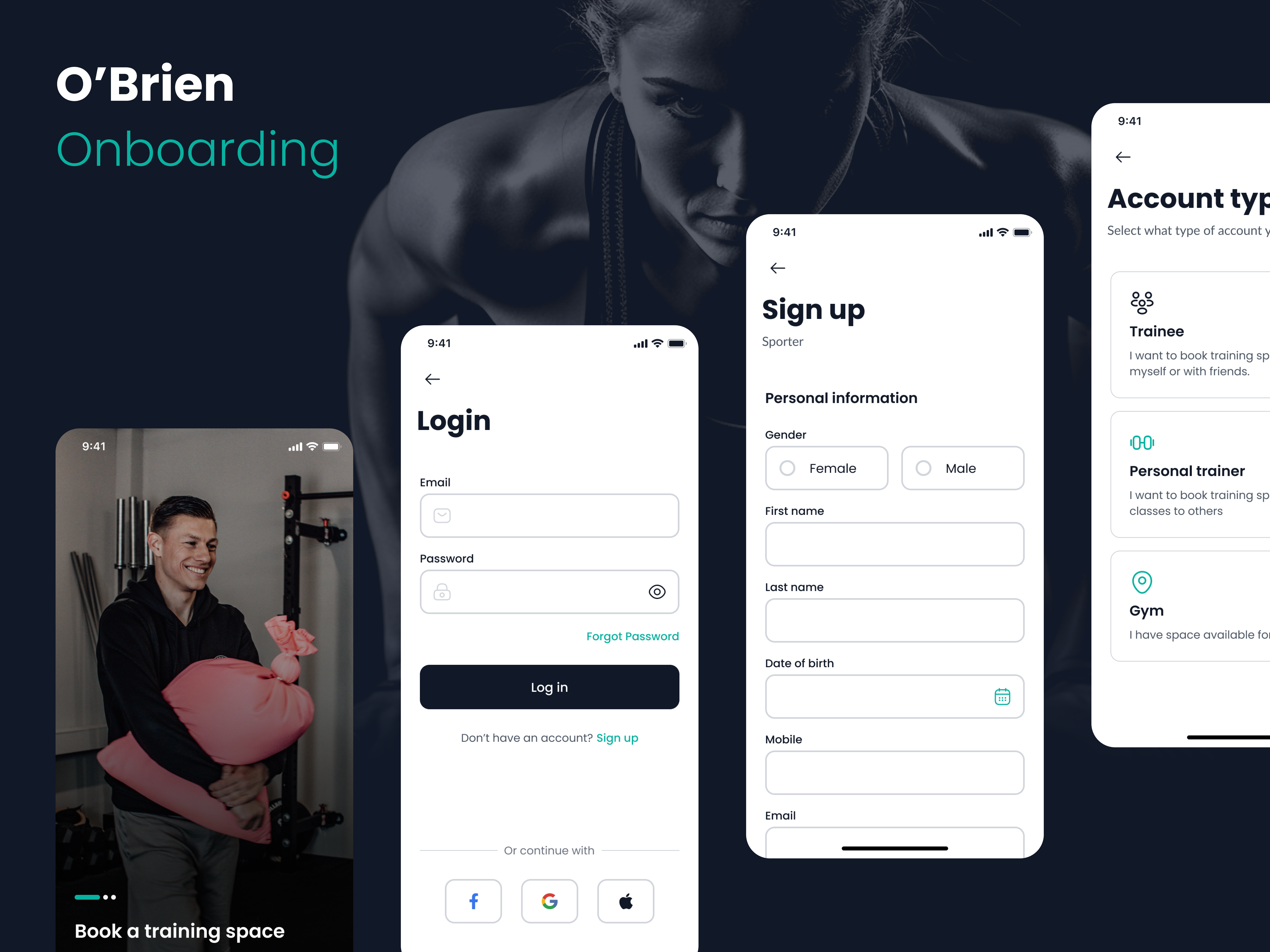
User onboarding flow
A structured onboarding experience demonstrating reusable forms, inputs and interaction patterns within a real product flow.
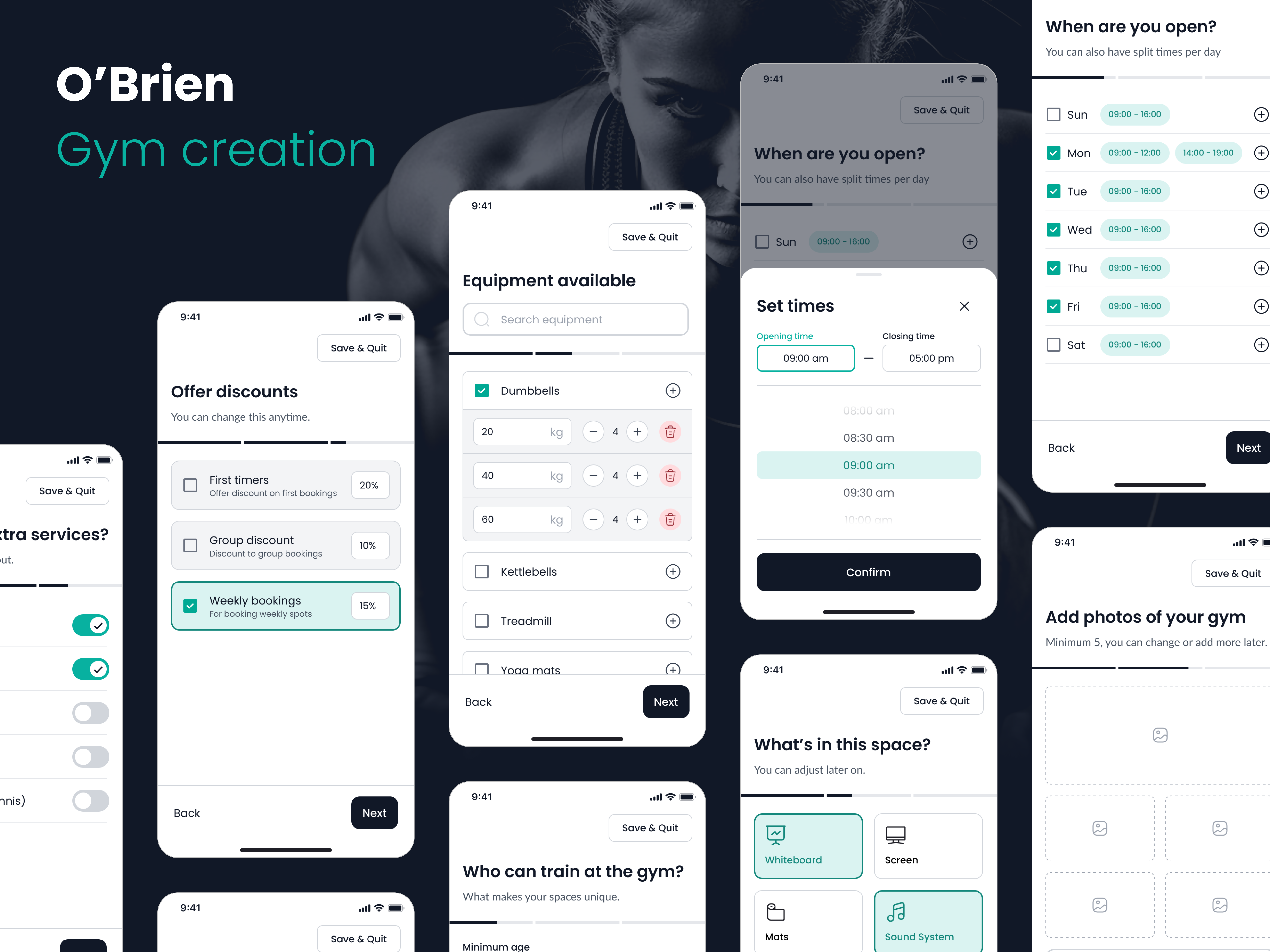
Data-driven product configuration
A management flow combining forms, reusable UI components and structured data to create and configure product content.
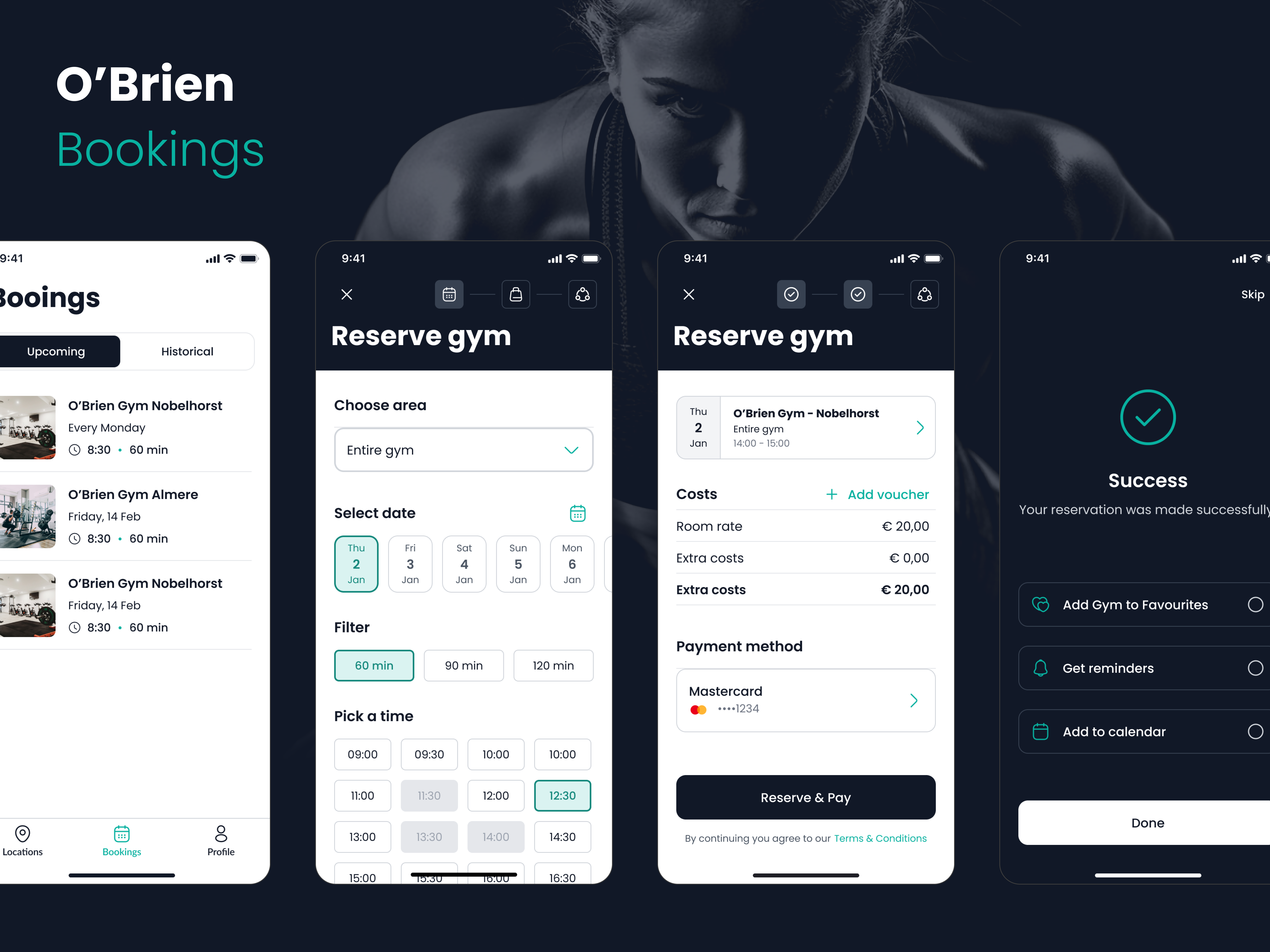
Booking & interaction flow
An interactive booking experience built from reusable components, demonstrating consistent forms, controls and user feedback patterns.
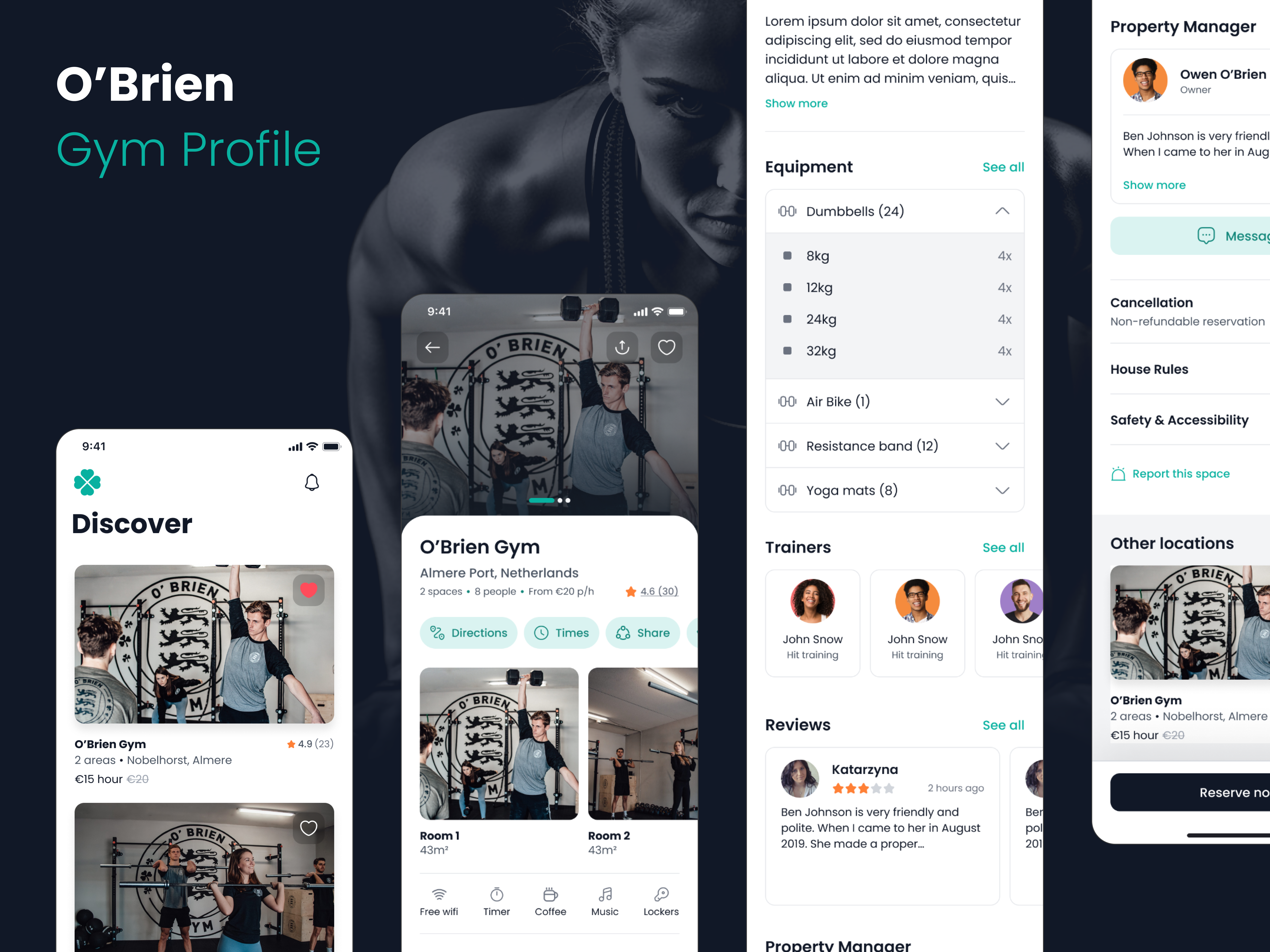
Responsive product interface
A responsive product view demonstrating how the component system adapts across different content structures and screen sizes.
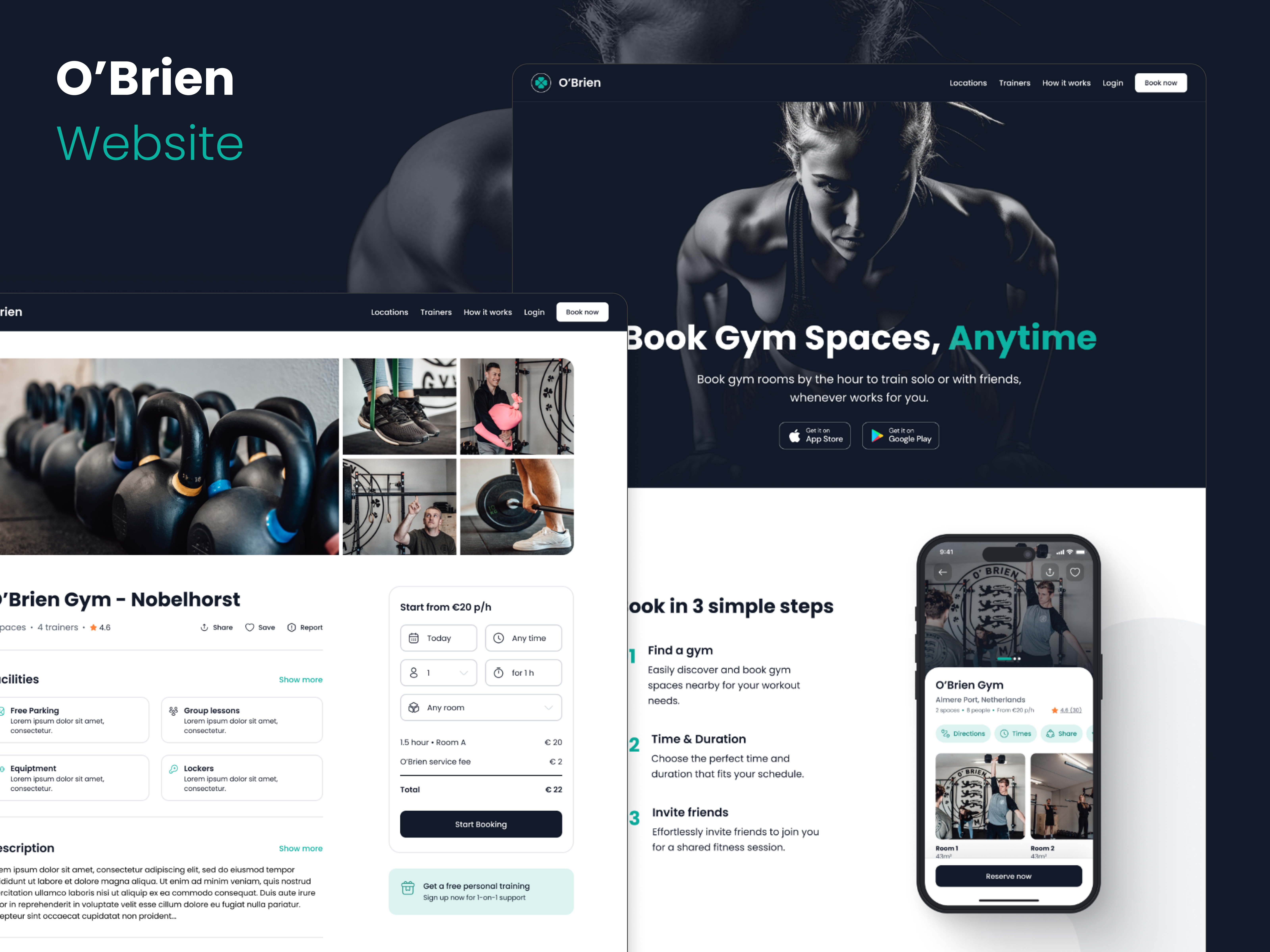
Customer-facing product experience
A polished public-facing interface demonstrating how the same component foundation can support both application and marketing experiences.